Product
What's changed in the new Smart Core app?
The Smart Core app has been rebuilt from the ground up. Here's what's changed for occupants and building teams, and why the old app has gone.

On 24 September, every Smart Core customer signed in to a fully rebuilt app. Same address, same login, but an entirely brand new experience. We've got a ton of ground to cover on the changes, so we're going to kick off with some of the smaller changes, explaining what's new, what's moved, and why the old app has been retired rather than left running alongside. Over the next couple of weeks, we'll be covering some of the bigger changes in greater detail, so keep checking back for more.
Most building software grows by accretion: a feature here, a settings page there, until finding anything means remembering where it was last week. This rebuild started from the other end. What does an occupant need to see the moment they open the app? What does a building team need in front of them to get through the day? Everything else was rebuilt around those two answers.
So, without further ado, let's take a look at the all-new, all-amazing Smart Core.
What does the new home screen show an occupant?
The home screen now shows what's happening in your building at a glance: your bookings, your visitors, the latest updates from the building team, and any faults you have reported. Nothing to hunt for, nothing to click through to.

From there, you can book a desk straight off the floor plan rather than from a list. The app works as well on a phone as on a laptop, installs to your home screen as Smart Core, and reads cleanly in dark mode.
Booking approvals now work end to end. If a space needs sign-off, the request carries a deadline, sends reminders and holds the conversation on the booking itself, so nobody is chasing an email thread to find out whether the boardroom is theirs on Thursday.
The British Council for Offices found that UK offices average around 40% occupancy on their busiest days, Tuesday to Thursday, and 30% across the working week.
What is the operations console, and who sees it?
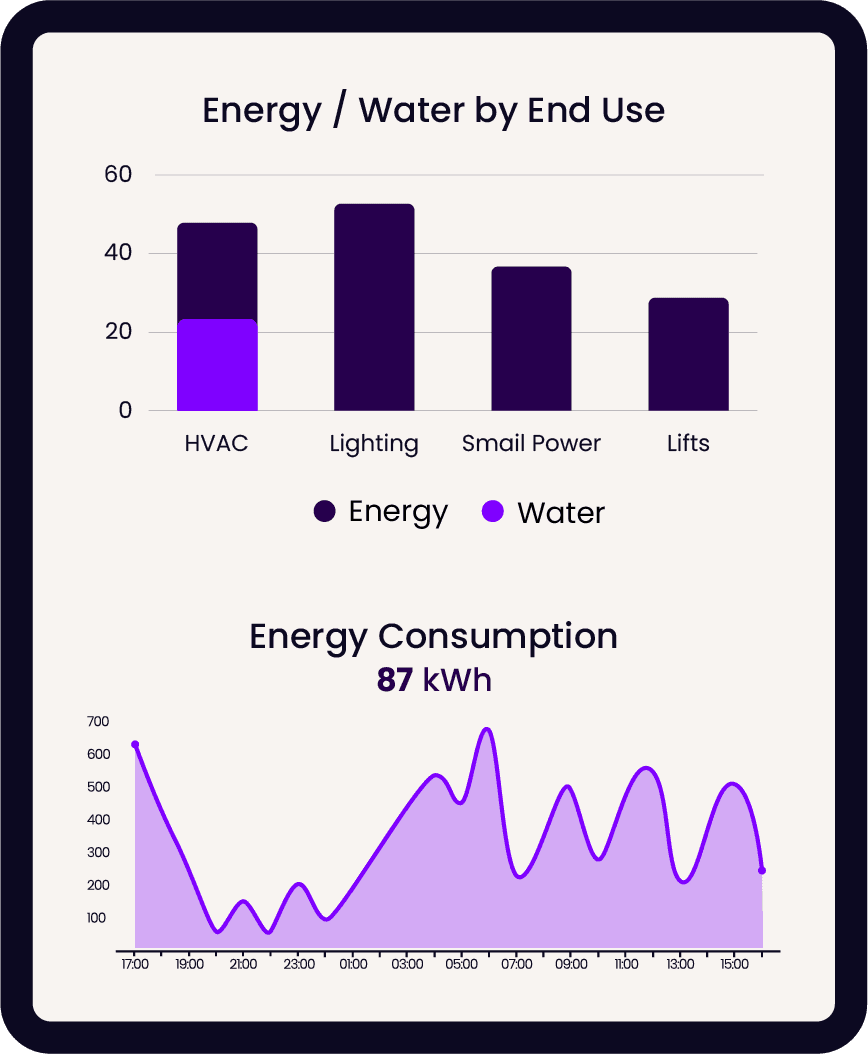
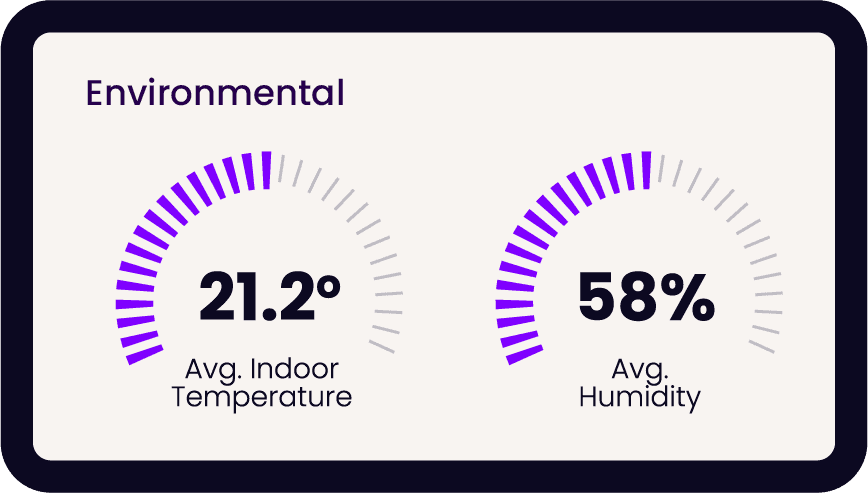
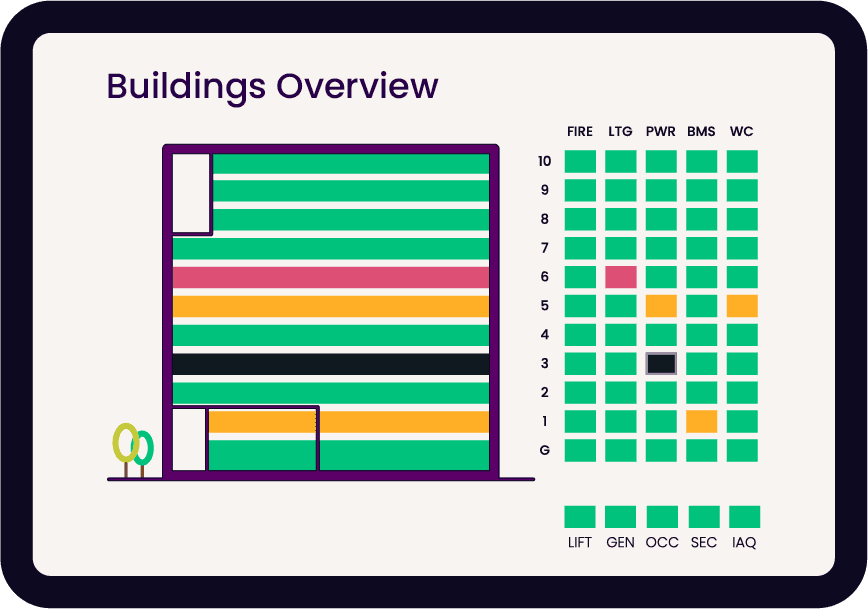
The operations console brings a building team's daily work into one place: the fault queue, bookings and approvals, the visitor register, updates, kiosks, and the media library. Each person sees only the sections they can actually use, so a receptionist and a facilities manager open the same app and get different consoles. Fully customisable dashboards, as shown below, aren't available just yet, but are very much on the way.

Faults themselves gained multi-priority filters, a clear split between comments and history, and triage of category and location. Updates have their own page, scheduled updates now go out on the day they were scheduled for, and operators can pick an update's image from the media library instead of uploading it again. Once an update is published, its audience is fixed because publishing has already notified those people.
What does the floor plan now do for landlords and building managers?
Space management has moved onto the floor plan. A building's floors, spaces and bookable resources are commissioned directly on the plan, selecting a run of desks or parking bays in one go rather than one at a time.
The plan now also shows who manages every space and what each tenant can book, including which lettable space is still vacant. Floor areas are calculated from the plans and totalled per site. Landlords manage the organisations in their building from the operations console and choose the features and bookable resources each one gets.

Booking maps now line up with the building's orientation rather than defaulting to north, with a compass to flip them north-up if you prefer. It sounds trivial until you have watched someone rotate their phone three times trying to work out which corner the kitchen is in.
Even in a tight market, space sits empty. Savills put City of London vacancy at 7.4% at the end of Q3 2025, down 150 basis points on the year before. For a landlord, knowing which of that space is vacant, who manages the rest and what each tenant can book is the difference between guessing and planning.
What happens to visitors, and to hosts inviting them?
Visitors are marked as 'Expected' or 'Missed' against the building's own day, not the server's, so an early-morning arrival in one time zone does not show as missed in another. The kiosk check-in fits smaller tiles, and on an activated kiosk iPad, swiping in from the edge no longer takes the display off screen.

For hosts, the parking bay picker only offers bays that can actually be reserved, which removes the most common reason an invite used to fail at the last step. The host is notified the moment a visitor arrives.
Why has the old app gone rather than running alongside?
Because two apps means two places for a problem to hide. The old app has been retired so there is one Smart Core for everyone. Links in mail people received before the switch still open the correct page. If someone had the old app open during the changeover it may have reloaded once, but that was expected.
Error messages also changed with it. Instead of a status code, people now see what failed and why in plain words, with the fix in the sentence: 'Try again', or 'Load the latest version'. That last one matters most as, if a record changed while you were editing it, loading the latest keeps your edits, takes everyone else's, and flags any field you both touched. The technical detail that support needs is still there behind a quiet copy link, so a customer can paste it into a ticket if need be.
What should building teams do now?
Nothing you didn't already know how to do! Sign in at the usual address. If you run a building, open the operations console and check that the sections you expect are there. If one is missing, that's a permissions question for whoever administers your organisation. If you invite visitors, the parking picker will already be behaving. If you manage a floor plan, have a look at what the plan now tells you about who manages what.
This is the foundation, not the finish. More will land over the coming weeks, and each release is written up in plain English so you can see what changed without reading a tech-riddled changelog.
Frequently asked questions
Do I need a new login for the new Smart Core app?
No. Same address, same sign-in. The app installs to a phone home screen as Smart Core.
Is the old Smart Core app still available?
No. It has been retired so there's one Smart Core for everyone. Links in older emails still open the correct page in the new app.
Who can see the operations console?
Anyone whose role includes building operations. Each person sees only the sections they can use, set by their organisation's administrator.
Can landlords manage tenants from the app?
Yes. Landlords manage the organisations in their building from the operations console and choose the features and bookable resources each tenant gets.
Related articles
Our platform is designed to empower businesses of all sizes to work smarter and achieve their goals with confidence.